
System Positioning
The smart electronic fence system replaces physical fencing with AI video analytics, drawing virtual warning zones on the camera image and detecting around the clock whether people enter floor-slab openings, approach pool edges, or enter hazardous work areas and other high-risk zones. On a violation it immediately triggers an on-site voice alert and pushes LINE / Teams notifications, preventing falls, drowning, entrapment and other industrial accidents, and runs reliably around the clock regardless of weather or lighting.
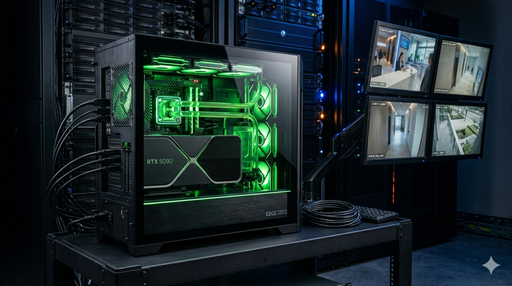
Use case: night-time approach to a danger zone triggers light and sound alertsIllustrative scene generated with AI; not footage of the actual product or a customer site.
Key Performance Indicators
AI Virtual FenceWhy choose an AI electronic fence instead of a physical fence?
| Comparison Item | Physical Fence | AI Electronic Fence |
|---|---|---|
| Installation cost | High (materials + labor) | Zero (uses existing cameras) |
| Shape flexibility | Fixed shape, hard to adjust | Any polygon, editable at any time |
| Water edge / slope use | ❌ Hard to install | ✅ Just point the camera |
| Floor-slab opening control | ⚠️ The opening itself is the hazard | ✅ The fence is in the image and adds no hazard |
| Night performance | ⚠️ Poor visibility, can still be crossed | ✅ Infrared cameras work 24 hours |
| Alert Notifications | ❌ Cannot notify proactively | ✅ Instant voice + LINE + Teams notifications |
| Evidence retention | ❌ No records | ✅ Snapshots + video archived automatically |
Core System Functions
On the camera image in the back-end management interface, draw polygon warning zones freely with the mouse; multiple independent fences can be set on the same image, each with its own alert conditions.
AI recognizes people entering a warning zone in real time, distinguishes authorized from unauthorized people, and supports a no-entry-for-all mode for specific hours (such as after work).
On detecting an intrusion it triggers a voice broadcast immediately: "Warning! Hazardous area ahead. Leave immediately!" aimed directly at the violator, with no human intervention.
Alerts are pushed to management groups at the same time, with the intrusion snapshot, timestamp, camera name and fence location, so managers know instantly wherever they are.
Set fences around puddles, retention ponds and drainage ditches; people approaching are warned immediately to prevent drowning, especially suited to construction sites in typhoon season.
Set fences at fall hazards such as reserved floor-slab openings, elevator shafts and pipe chases, monitoring people approaching without needing physical covers.
Set no-vehicle fences on pedestrian walkways and material storage areas; construction vehicles crossing the line trigger an alert immediately, preventing people-vehicle collisions.
Each alert automatically captures an on-site snapshot and short video for archiving, providing violation evidence as the basis for safety training and inspections by the competent authority.
Detection Alert Flow
IP camera video is sent continuously to the edge AI host, and the AI model analyzes every frame for people or vehicles entering warning zones.
The AI confirms intrusion over multiple consecutive frames, filtering out interference such as shadows and swaying leaves to ensure alert accuracy and reduce false alarms.
On-site voice broadcast + LINE group push (with snapshot) + Teams webhook notification, all three channels triggered at once.
Snapshots, video and alert times are stored automatically on the 4S360 platform, and managers can query historical alert records by date, camera and fence.
Typical Use Cases
Set fences at floor-slab openings on each level, reserved elevator holes and roof edges; people approaching get an immediate voice warning to prevent falls from height.
Set fences around site puddles, foundation excavation pits and rainy-season retention areas to keep people from falling in and drowning.
Set no-entry fences within the working radius of heavy equipment such as excavators, cranes and forklifts to prevent people-vehicle collisions.
Set a site-wide no-entry mode after work; any intrusion triggers an alert immediately and notifies security staff, preventing theft and unauthorized entry.
Applications
Need an electronic fence site assessment?
We provide free site assessments and camera installation planning to help you quickly build an AI protection net for hazardous areas across the whole site.
Compatible Hardware
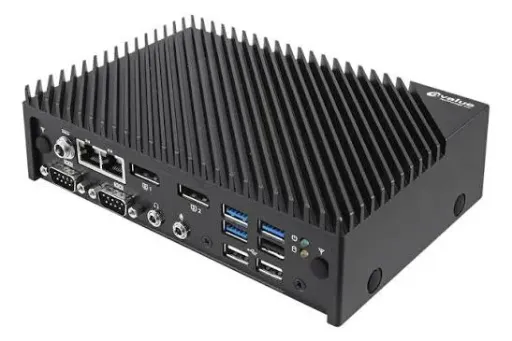 ACS10-TGU W/i5-1135G7 Host
Intel i5 / 16GB / 100GB SSD / industrial PC grade
 AI Compute Host (NVIDIA)
Industrial PC with an NVIDIA GPU that can run multiple AI detection models at once. By default one model serves 4 IP cameras, and models such as PPE, fence, hoisting and smoke/fire can be added.
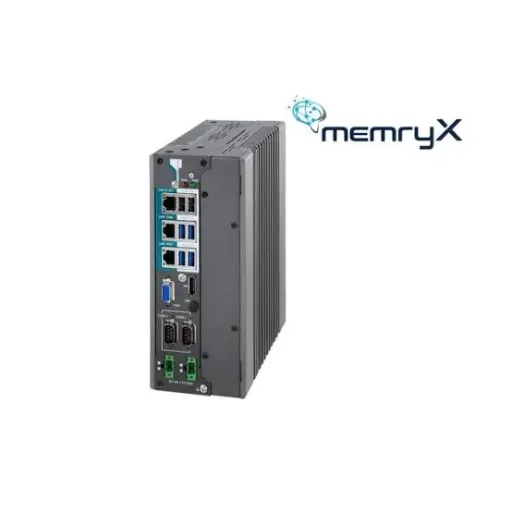 Arbor ARES-1983H-AI-MX EdgeAI Industrial PC
Intel Core i7-14700T / 16GB DDR5 / 256GB SSD / MX3 2280 Kit, industrial PC grade
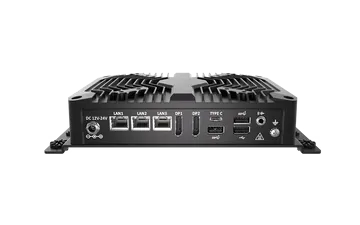 BCO-500-MTL MX EdgeAI Industrial PC (Zhiai)
Intel i7 155U, 16GB DDR5, 128GB M.2 SSD, MX3 Module Kit, 150W adapter, industrial PC grade