

PPE AI Camera
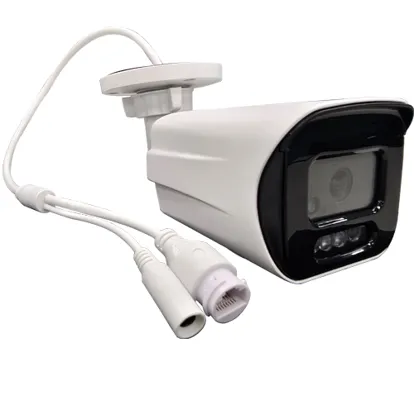
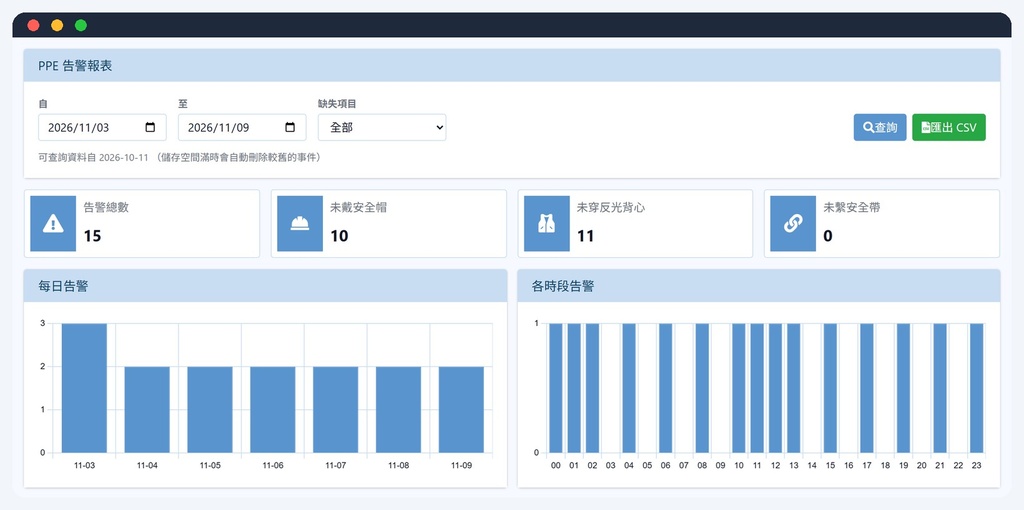
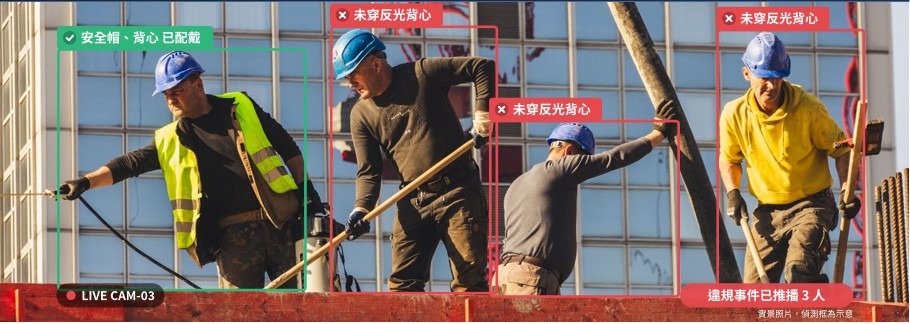
Built on the Panxu Intelligence OS-T115L3 2MP bullet AI network camera hardware, paired with Microsys Information's 4S360 PPE edge detection: at the camera it determines whether people wear safety helmets, reflective vests and safety harnesses. When equipment is missing it saves a snapshot and video clip and pushes the event via Webhook / API; the camera also has a local PPE alarm report that can be queried by date and missing item and exported as CSV. Use it standalone, or connect it to 4S360 AI Sentry to manage multiple cameras together.
Partner: Panxu Intelligence (AMobile Solutions). Microsys Information will work with Panxu to integrate 4S360 PPE detection into the OS-T115L3's MediaTek MT8136 platform; after the devices arrive, technology transfer and on-device verification will be carried out, and a formal quote and deployment will follow once complete.
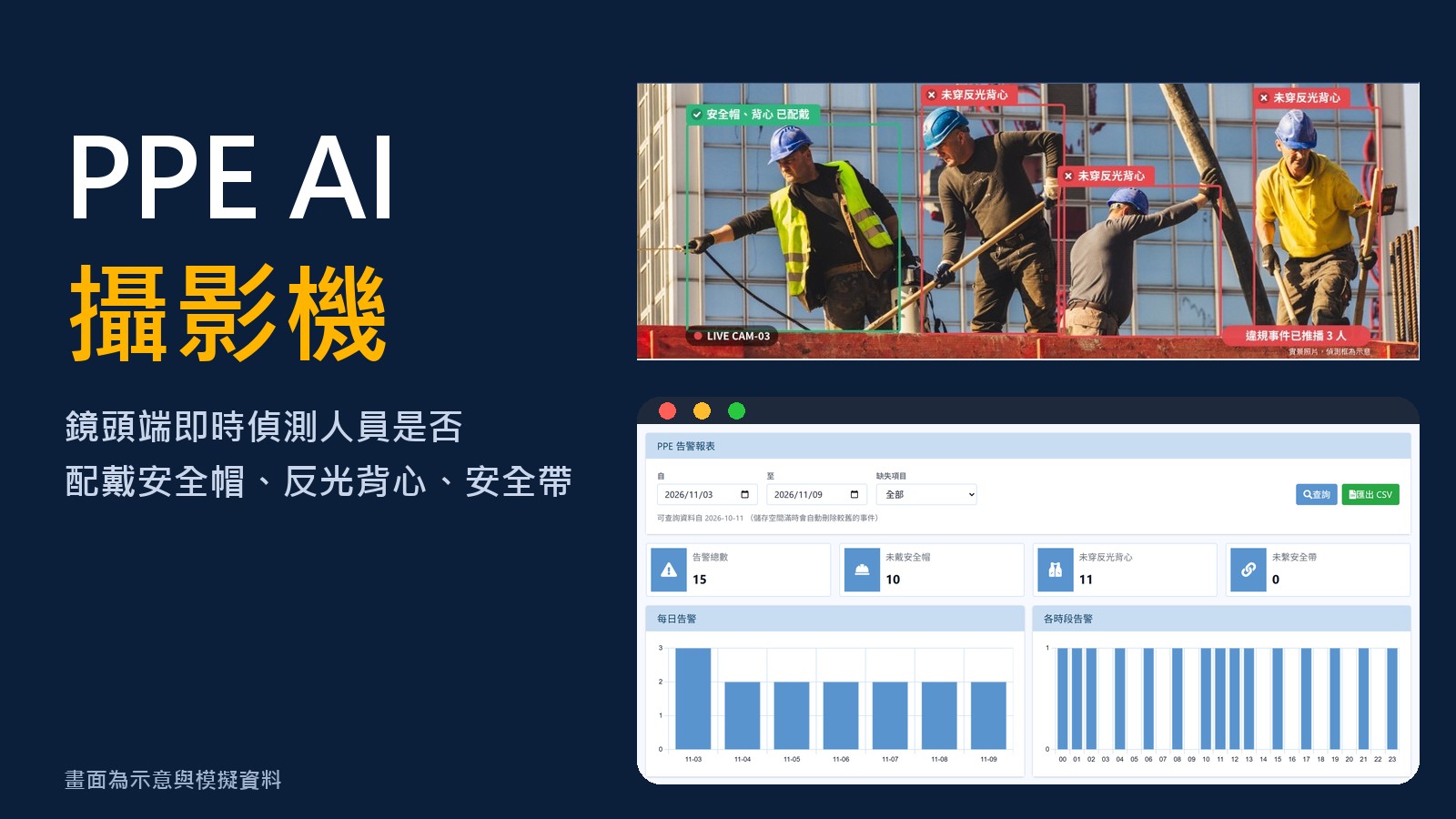
The screen is illustrative with simulated data and is for illustration only.
Key Features
OS-T115L3PPE Detection Features
Choose which of the three equipment items to monitor; helmet and reflective vest are monitored by default, and the safety harness is optional for work at height.
Draw the area to detect on the image and set the detection hours, avoiding areas and non-working hours that do not need monitoring.
Violation events leave a snapshot and video clip so you can review afterwards who, what was missing and for how long.
Statistics by date and missing item, daily and hourly trends, detailed snapshots and CSV export; older events are deleted automatically when storage is full.
Event push (start / ongoing / end) includes the missing items, and a REST API is provided to connect to 4S360 AI Sentry and the smart site platform.
Recognition runs on the camera without relying on the cloud; events remain stored on the camera when the network is down.
System Screenshots
Illustrative screen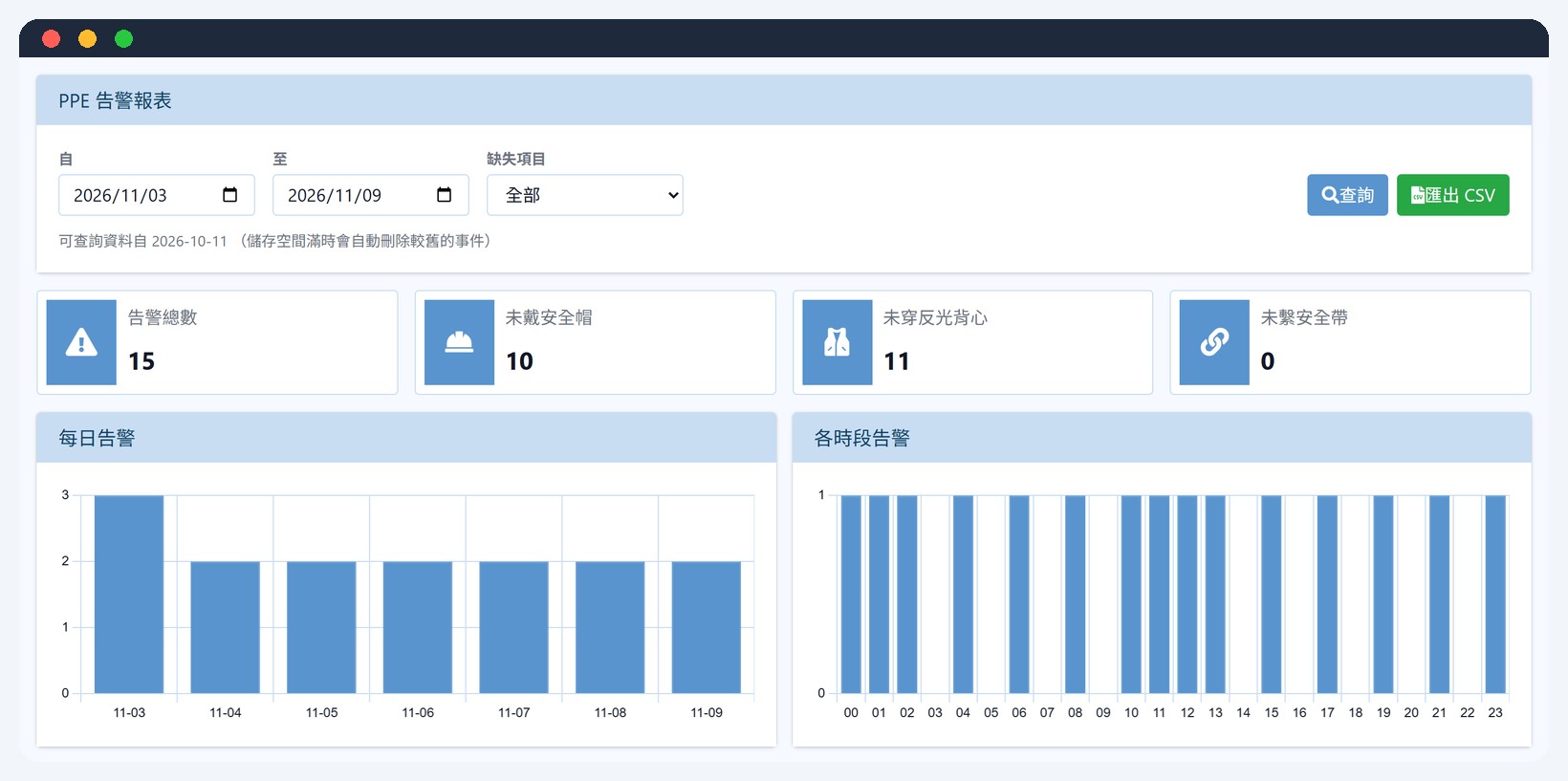
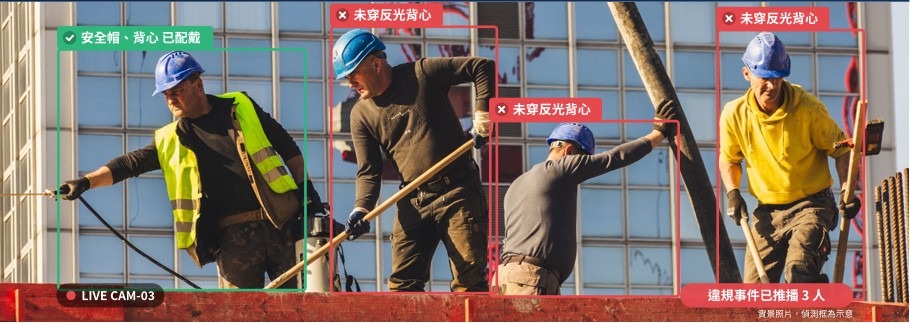
PPE Detection Settings
4S360 Edge Detection| Detection Targets | People, safety helmets, reflective vests, safety harnesses |
| Judgment Method | A person missing any of the selected equipment is judged a violation |
| Monitored Items | Safety helmet, reflective vest and safety harness can be selected (default: helmet + reflective vest) |
| Detection Area and Schedule | Draw the detection area (ROI), and set detection hours, confidence value and minimum duration in seconds |
| Events | Violation start / ongoing / end, with snapshot and video clip |
| Integration | Webhook event push and REST API; connects to 4S360 AI Sentry and the smart site platform |
Recognition results vary with mounting angle, distance, lighting and occlusion, so a site test is recommended before deployment. The PPE detection model and management interface are developed by Microsys Information; integration with the Panxu MT8136 platform will be carried out through technology transfer after the devices arrive. Until on-device verification is complete, features and timeline are subject to project confirmation.
Implementation Process
Confirm the installation position, height and angle, and assess the size of people in the image and the lighting.
Install the camera and connect the network (PoE is possible); set the detection area and schedule in the web interface.
Select the equipment to monitor and set the confidence value and minimum duration in seconds.
View the local report, or connect to 4S360 AI Sentry and the smart site platform via Webhook / API.
Applications
Work Safety ManagementHardware Specifications
| Processor | MediaTek MT8136, built-in 2.0 TOPS AI computing |
| Video | 2MP Full HD (1920 × 1080), up to 30 fps; H.265 / H.264 / MJPEG, three streams |
| Lens | 2.8 mm fixed lens, F1.6; field of view diagonal 127.1° / horizontal 106.7° / vertical 56.9° |
| Low Light | Color / B&W 0.01 Lux (F1.6); 0 Lux with infrared on |
| Infrared | Visible range 30 meters; ICR automatic day/night switching |
| Image Features | WDR 81 dB, BLC, HLC, digital noise reduction |
| Storage | microSD card, up to 512GB |
| Network | RJ-45 (10/100BASE-T), PoE supported; ONVIF, RTSP, HTTPS, etc. |
| Audio | 1 input, 1 output, G.711 |
| Simultaneous Viewers | Up to 5 users |
| Power / Consumption | DC 12V or PoE 48V; power consumption < 10W |
| Operating Environment | -10°C ~ 50°C; humidity below 85% (non-condensing) |
| Protection / Size / Weight | IP65 (manufacturer spec sheet); 121.7 × 94.8 mm; about 530g |
Hardware specifications are compiled from the manufacturer Panxu Intelligence's OS-T115L3 product page (the manufacturer's spec sheet lists IP65); the manufacturer's announcements and the actual device prevail.
Want to know how to deploy the PPE AI camera?
We provide site assessments, mounting angle and quantity advice, and integration with the 4S360 platform, with a quote.
Compatible Systems
 4S360 Smart Construction Site Safety Management Platform (Cloud)
4S360 Smart Construction Site Safety Management Platform, cloud edition. No self-hosted server required, includes the 4S360 management app and supports switching between multiple sites. Cloud-exclusive personnel positioning module; the shield tunneling module (PVMS) can be added.
 AI Personal Protective Equipment Detection System (PPE Detection)
Edge AI site protective equipment detection (AI Sentry): reuses existing cameras to recognize in real time whether safety helmets, reflective vests and safety harnesses are worn. Violations trigger push alerts with evidence images retained. Webhook, MQTT and API integration provided.