

Visitor Management System 360
Integrates parking management and visitor management in one system: staff and visitor vehicles enter and exit through automatic license plate recognition gate opening, and visitors are tied together by QR Code from advance application and security check-in verification to departure second verification, with the host notified automatically and complete records kept.
System Highlights
VAMSParking management: automatic gate opening by license plate recognition
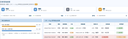
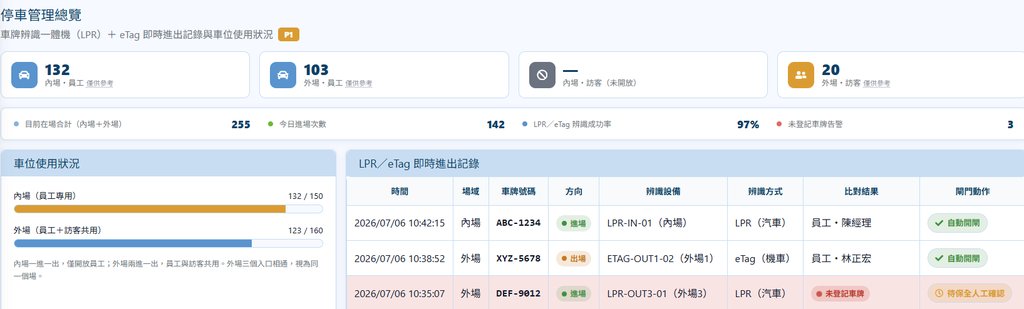
See the current parking status and real-time entry/exit records, with inner-lot (staff only) and outer-lot (staff + visitors shared) space usage clear at a glance.
Cars are recognized automatically by an all-in-one LPR plate recognition unit, with no manual entry; registered whitelisted plates open the gate automatically.
Register by entering name and staff ID; motorcycles register an eTag card number; multiple parking zones can be selected (staff-only inner lot, outer lot visitors can also use); one staff member can register several vehicles.
Whitelisted plates open the gate automatically, blacklisted plates wait for security confirmation; you can set "notify the guard when this plate enters or exits".
Every recognition is recorded, and the on-site photo can be viewed to confirm what the machine actually captured.
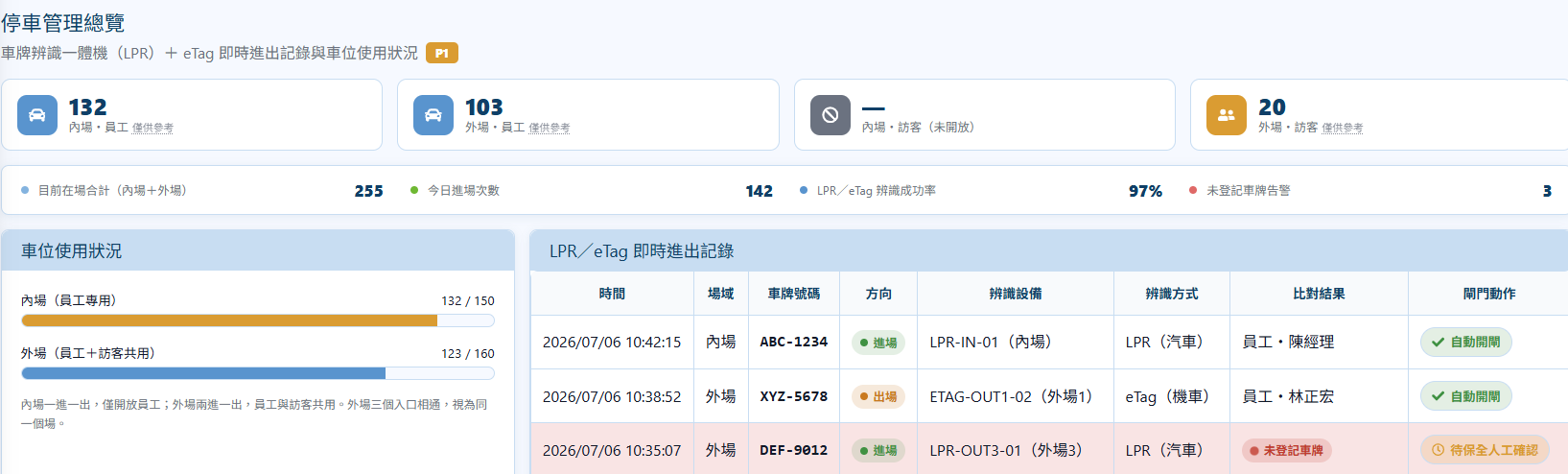
System screenshots show demo data.
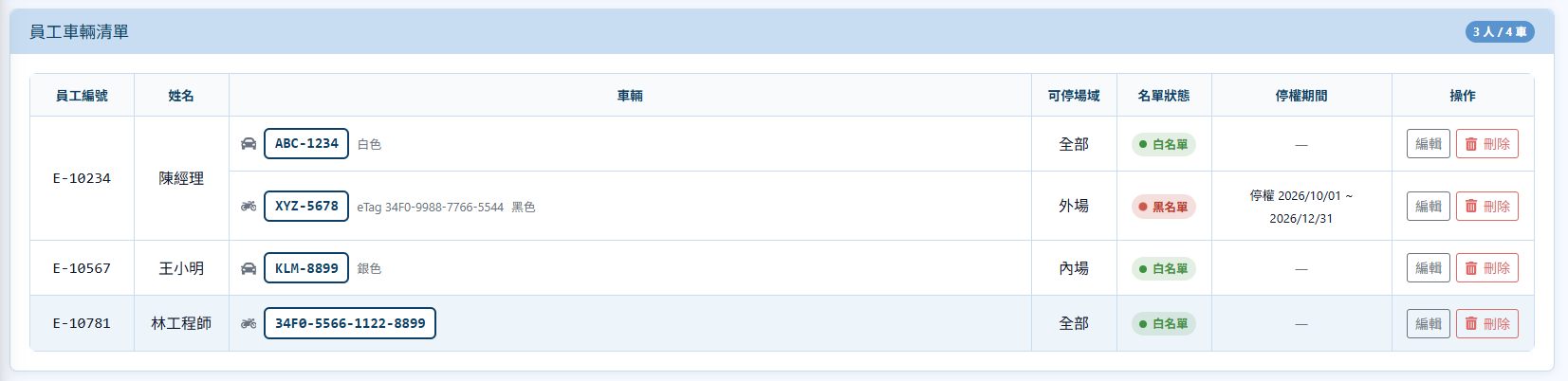
The staff vehicle list shows permitted zones (all / inner / outer lot) and list status (blacklist / whitelist, suspension period).
Visitor management: three-stage flow
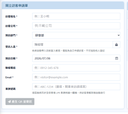
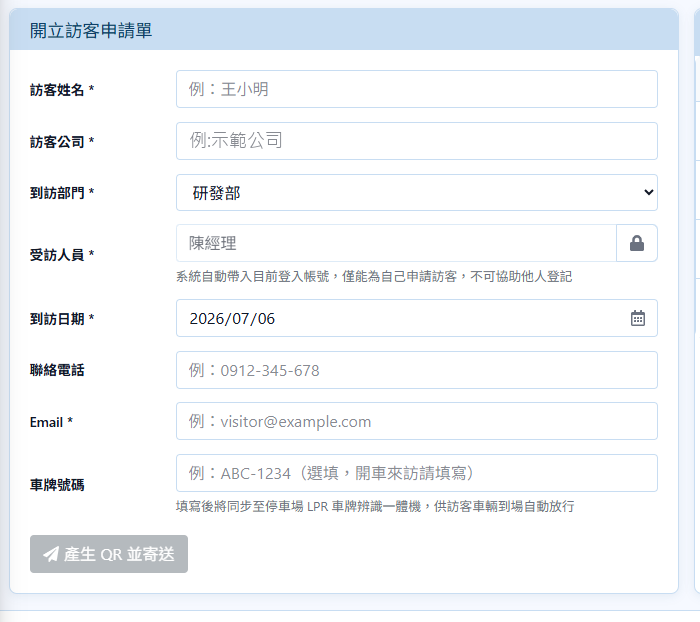
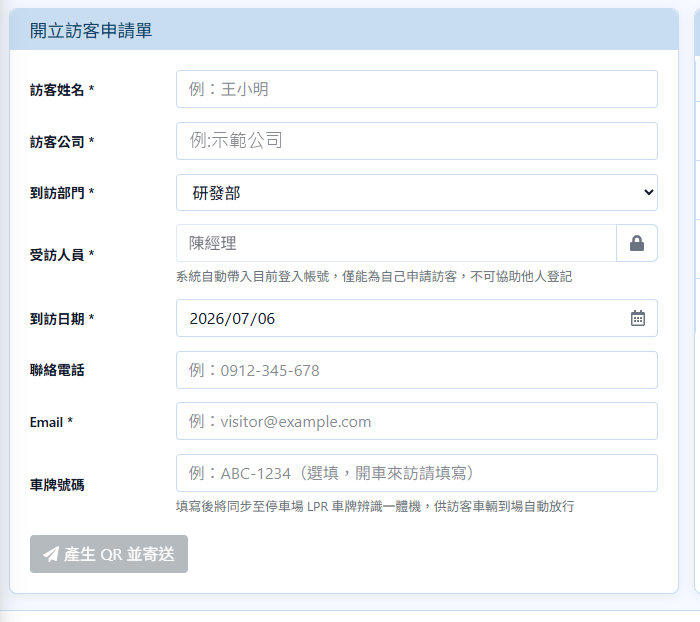
For advance applications, the host employee enters the visitor's name, company, department visited, host, visit date, email and plate number; once approved, a check-in QR Code is sent. The plate syncs to parking management so the visitor's vehicle is let in automatically on arrival. Walk-in visitors scan the QR Code posted at the front desk, fill in the form and sign themselves, and the QR Code is sent after the host agrees.
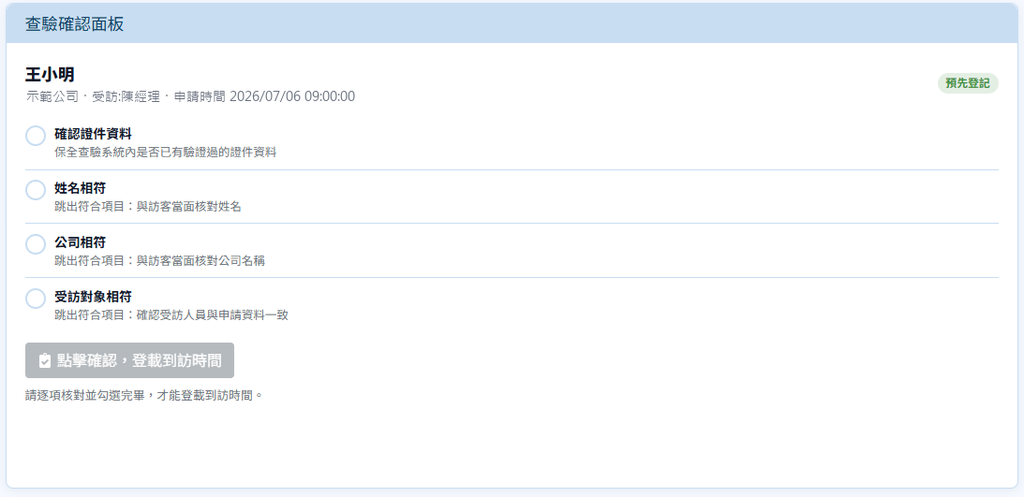
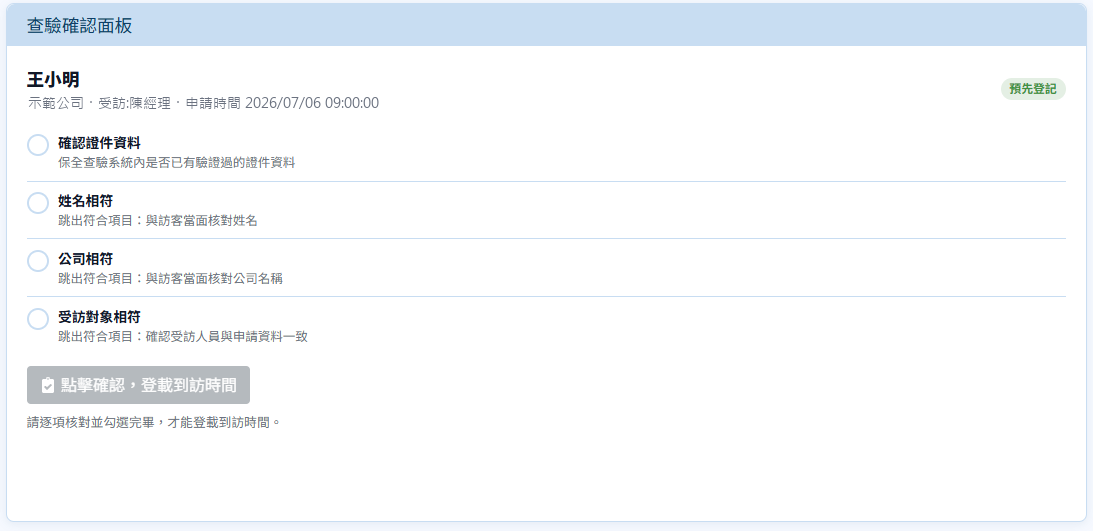
Security views the list of visitors awaiting check-in and scans the visitor's QR Code with a scanner. On the confirmation panel they check ID, name, company and host in turn; once all are verified the visit time is logged and the system automatically notifies the host (Teams / Mail).
When leaving, the visitor shows the QR Code again, or security confirms identity and presses "Confirm departure" manually to complete the second verification; visitors who forgot can be logged out manually in the departure control list.
System screenshots show demo data.
Who Does What
| Host employee | Pre-registers visitors and receives consent notices for walk-in visitors and check-in notices |
| Visitor | Arrives and checks in after receiving the QR Code; walk-in visitors scan the front desk QR Code to fill in the form and sign |
| Front desk security | Scans QR Codes to check in, verifies identity, confirms departure, and handles unregistered or blacklisted vehicles |
| System administrator | Manages accounts and role permissions, and views security reports and all kinds of records |
System Management and Security
Each permission can be ticked independently; permissions of the same role combine, and after login only authorized functions are shown.
Permissions are split into the parking management and visitor management subsystems, which can be authorized separately, for high customization.
Changes on the system are clearly recorded for stronger information security.
Feature Overview
| Vehicle Recognition | Cars: all-in-one LPR plate recognition unit (no manual entry); motorcycles: eTag card number |
| Gate Rules | Registered whitelisted plates open the gate automatically; blacklisted or unregistered ones need security confirmation; notify the guard on entry/exit can be set |
| Visitor Application | Pre-registration (filled in by staff), walk-in visitors (scan the front desk QR Code to fill in the form and sign; the QR Code is sent after the host agrees) |
| Check-in Verification | QR Code scan, verify ID, name, company and host item by item, then log the visit time |
| Notifications | The host is notified automatically after check-in (Teams / Mail) |
| Departure Control | Scan the QR Code again or confirm departure manually; forgotten departures can be adjusted manually |
| Permissions and Audit | Role permissions, account management for the parking and visitor subsystems, security reports |
Want to see how the visitor management system works?
We provide on-site process assessments, demos and deployment planning to help companies build digital people and vehicle access management.
Compatible Hardware
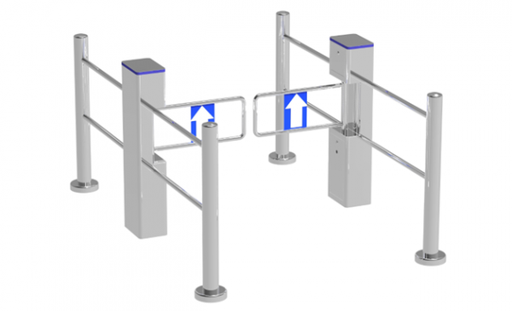 4-Post Cylindrical Supermarket Sensor Door (Set)
304 stainless steel housing, passage width ≤ 850 mm, post diameter 168 mm × height 1050 mm, 4-post set. Includes gate driver board, leakage circuit breaker and automatic opening on power failure.
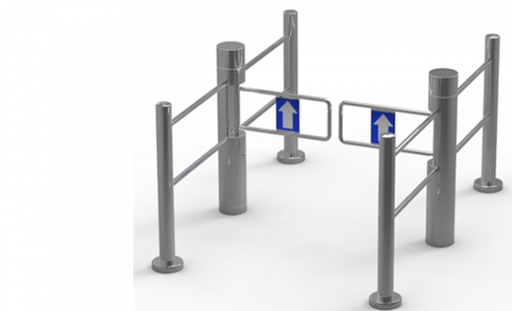 6-Post Cylindrical Supermarket Sensor Door (Set)
304 stainless steel housing, passage width ≤ 850 mm, post diameter 168 mm × height 1050 mm, 6-post set. Includes gate driver board, leakage circuit breaker and automatic opening on power failure.
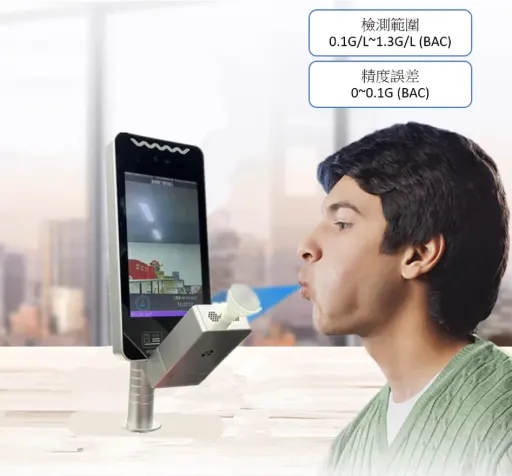 7" Face Recognition Attendance Tablet & Breathalyzer All-in-One (Turnstile Type)
0.3-second recognition, live-person anti-spoofing, supports face and proximity cards, IP65 waterproof and dustproof
Capacity 10,000 faces; up to 200,000 records + 5,000 captured snapshots
(Breathalyzer included)
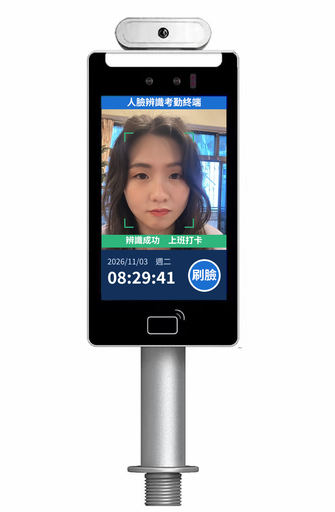 7" Face Recognition Attendance Tablet III (Turnstile Type)
Anti-photo spoofing, recognition within 0.3 seconds. Face, card attendance and access control in one device.
5MP depth camera and 7" IPS screen; remote door opening, visitor QR codes, forehead temperature measurement and other extensions are optional.
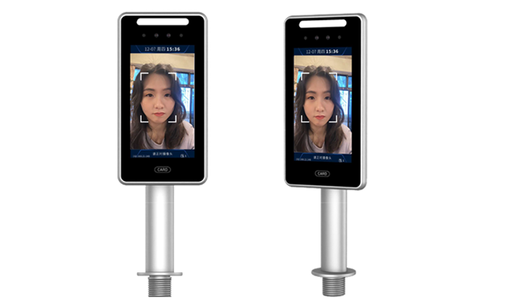 7" Face Recognition Attendance Tablet IP55 (KBD-TR307L, Turnstile Type)
0.3-second recognition, live-person anti-spoofing, safety helmet detection. Capacity: 10,000+ faces; up to 80,000 records.
Uses AI face recognition to verify identity. Supports safety ID card management and real-time stranger alerts, integrates LINE BOT push notifications, and is suitable for turnstile access control.
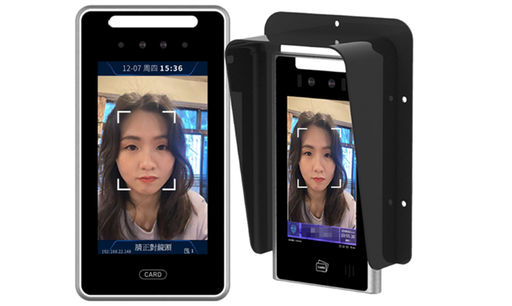 7" Face Recognition Attendance Tablet IP65 (KBD-TR307L, Wall-Mount Type)
0.3-second recognition, live-person anti-spoofing, safety helmet detection. Capacity: 10,000+ faces; up to 80,000 records.
Uses AI face recognition to verify identity. Supports 4S360 safety ID card management and real-time stranger alerts, integrates LINE BOT push notifications, and is suitable for site guard booths and access control.
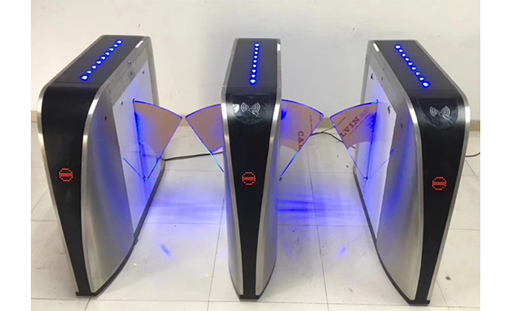 Boat-Type Wing Gate
304 stainless steel housing, passage width ≤ 550 mm, size 1200 × 300 × 980 mm, includes gate driver board, leakage circuit breaker and automatic opening on power failure.
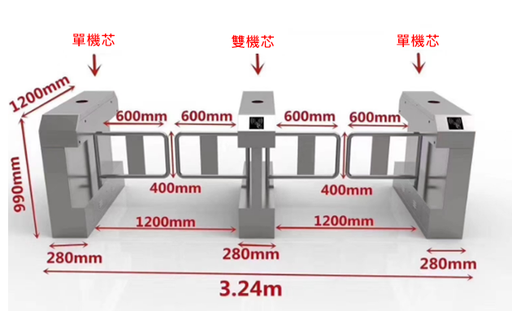 Bridge-Type Octagonal Swing Gate
304 stainless steel housing, passage width ≤ 1200 mm, size 1200 × 280 × 980 mm, includes gate driver board, leakage circuit breaker and automatic opening on power failure, 4 pairs of infrared sensors as standard.
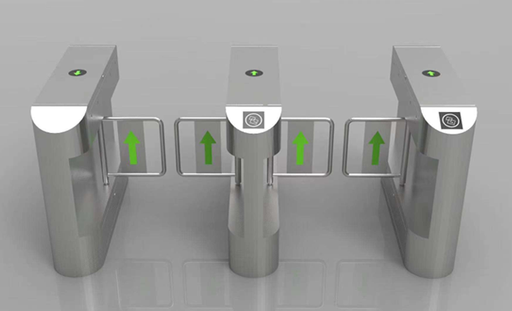 Curved Anti-Collision Swing Gate
304 stainless steel housing, passage width ≤ 1200 mm, size 1200 × 280 × 980 mm, includes gate driver board and leakage circuit breaker, 4 pairs of infrared sensors as standard.
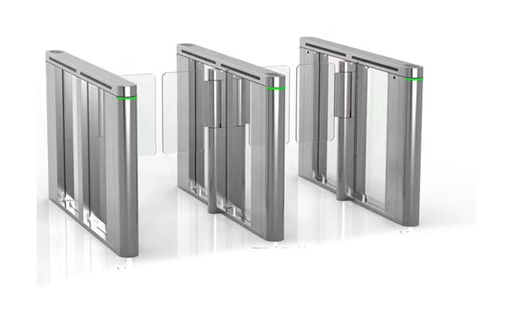 Curved Full-Cover Flat Speed Gate
304 stainless steel housing, single-side passage width ≤ 350 mm, size 1400 × 120 × 1000 mm, includes gate driver board and leakage circuit breaker, 6 pairs of infrared sensors as standard.
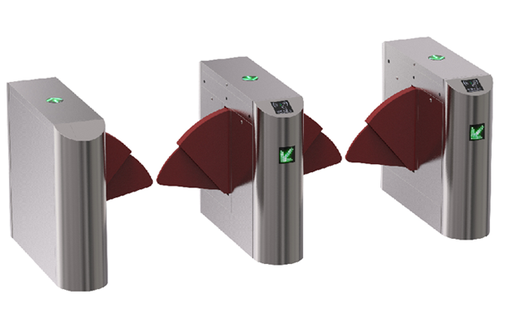 Curved Parent-Child Wing Gate
304 stainless steel housing, passage width ≤ 900 mm, size 1200 × 300 × 980 mm, includes gate driver board, leakage circuit breaker and automatic opening on power failure.
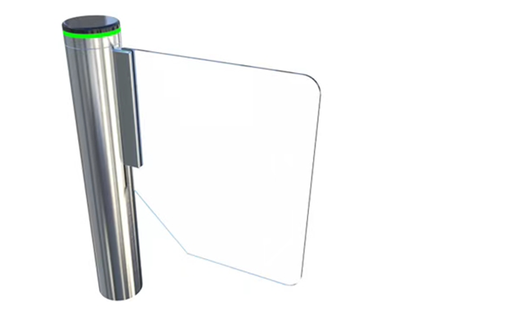 Cylindrical Speed Gate (Single Unit)
304 stainless steel housing, single-side passage width ≤ 500 mm, post diameter 168 mm × height 1000 mm, includes gate driver board and leakage circuit breaker, 6 pairs of infrared sensors as standard.
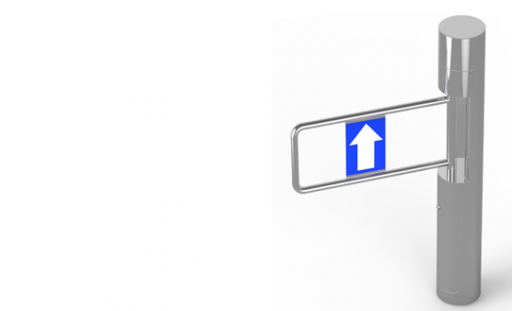 Cylindrical Swing Gate (Single Unit)
304 stainless steel housing, passage width ≤ 850 mm, post diameter 168 mm × height 1050 mm, includes gate driver board, leakage circuit breaker and automatic opening on power failure.
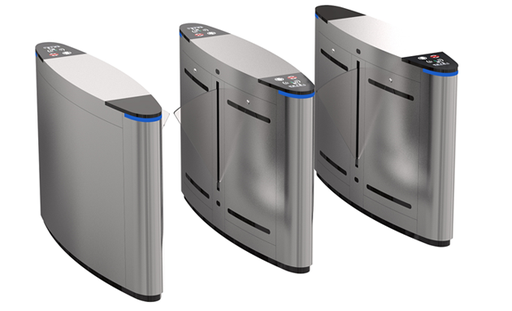 Deluxe Egg-Shaped Wing Gate
304 stainless steel housing, passage width ≤ 600 mm, size 1200 × 300 × 980 mm, includes gate driver board, leakage circuit breaker and automatic opening on power failure.
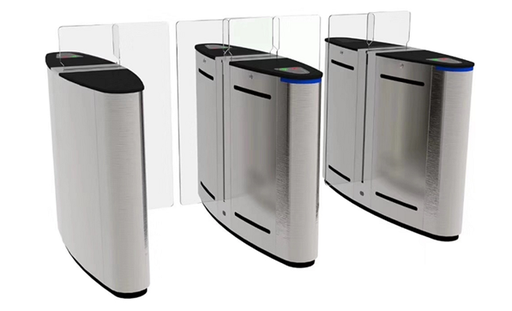 Deluxe Sliding Gate
304 stainless steel housing, passage width ≤ 550 mm, size 1200 × 330 × 980 mm, includes gate driver board, leakage circuit breaker and automatic opening on power failure, 4 pairs of infrared sensors as standard.
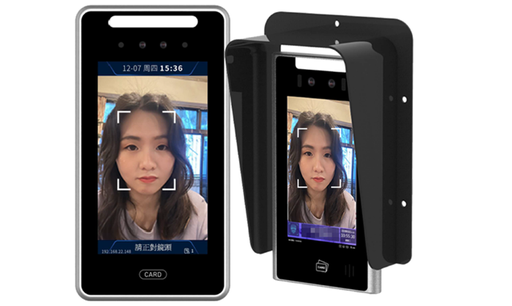 Face Recognition Access Tablet (Floor Standing, TR307D)
The TR307D is the floor-mounted version of the TR307 series, with a separate aluminum alloy post, total height 1542 mm and camera height 1460 mm above ground. It needs no wall, turnstile or other support structure and works independently once fixed to the ground. Suited to site plazas, temporary control points, open entrances and other places with no wall to use, making it the best choice for flexible deployment. Can be paired with the 4S360 site real-name management system for face-scan entry, safety ID card control and attendance records.
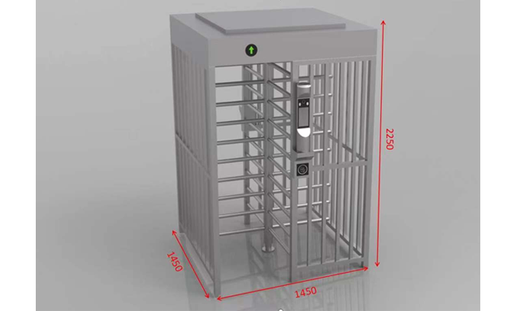 Full-Height Turnstile (Single Lane)
304 stainless steel frame structure, housing size L1450 × W1450 × H2250 mm, full-height rotating access control, single door.
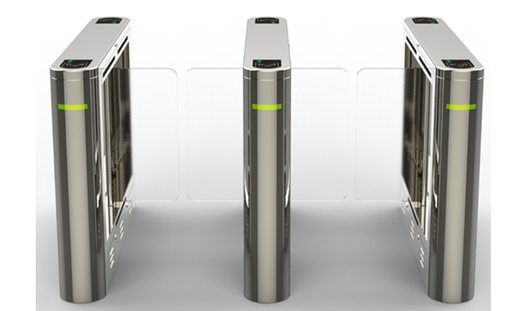 Hollow Small Swing Gate
304 stainless steel housing, single-side passage width ≤ 850 mm, size 1200 × 200 × 1000 mm, includes gate driver board and leakage circuit breaker, 4 pairs of infrared sensors as standard.
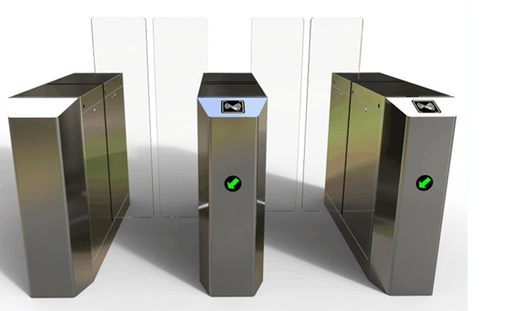 Octagonal Sliding Gate
304 stainless steel housing, passage width ≤ 550 mm, size 1200 × 330 × 980 mm, includes gate driver board, leakage circuit breaker and automatic opening on power failure, 4 pairs of infrared sensors as standard.
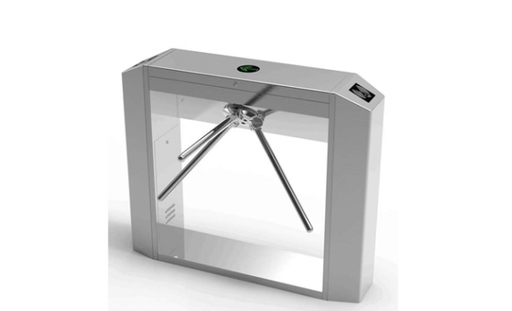 Octagonal Tripod Turnstile (Single Movement)
304 stainless steel housing, passage width ≤ 550 mm, size 1200 × 280 × 980 mm, includes gate driver board, leakage circuit breaker and automatic opening on power failure.
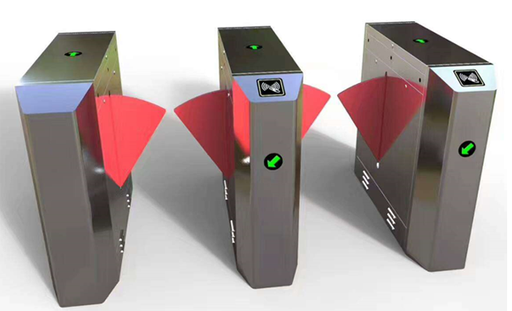 Octagonal Wing Gate
304 stainless steel housing, passage width ≤ 550 mm, size 1200 × 300 × 980 mm, includes gate driver board, leakage circuit breaker and automatic opening on power failure.
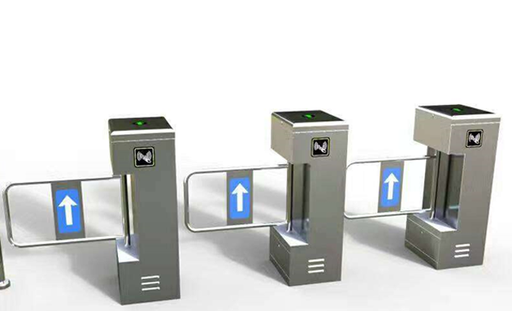 Protruding Flower-Type Swing Gate (Single Movement)
304 stainless steel housing, single-side passage width ≤ 650 mm, size 1200 × 280 × 980 mm, includes gate driver board, leakage circuit breaker and automatic opening on power failure, 4 pairs of infrared sensors as standard.
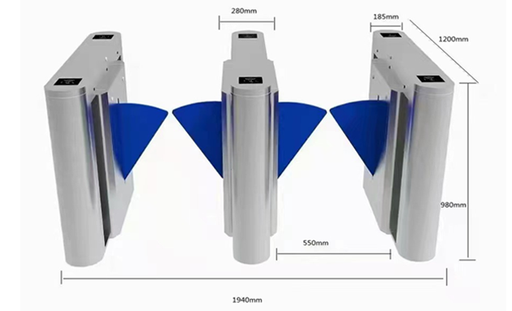 Protruding Wing Gate
304 stainless steel housing, passage width ≤ 550 mm, size 1400 × 300 × 980 mm, includes gate driver board, leakage circuit breaker and automatic opening on power failure.
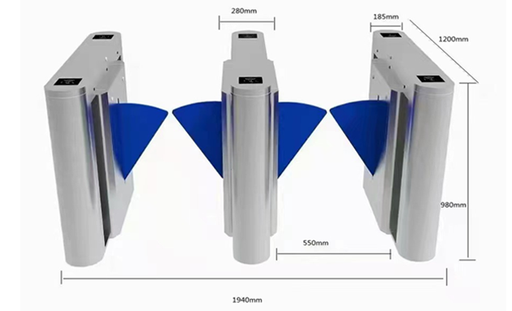 Protruding Wing Gate
304 stainless steel housing, passage width ≤ 550 mm, size 1400 × 280 × 1000 mm, includes gate driver board, leakage circuit breaker and automatic opening on power failure.
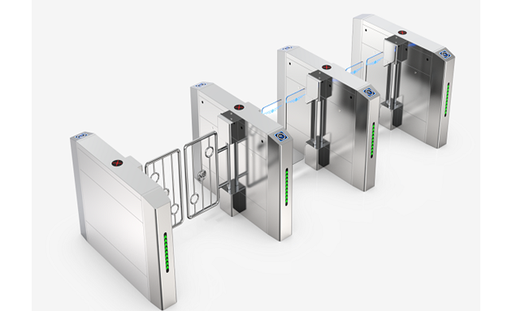 Raised Anti-Climb Swing Gate
304 stainless steel housing, passage width ≤ 1200 mm, size 1200 × 280 × 980 mm, includes gate driver board and leakage circuit breaker, 4 pairs of infrared sensors as standard.
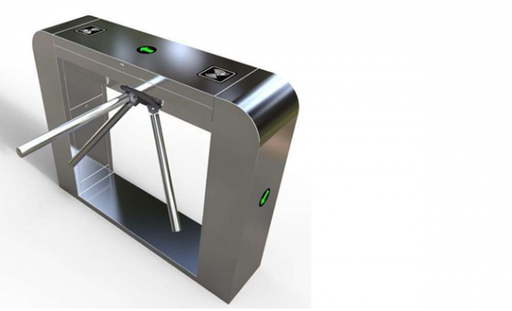 Round-Head Tripod Turnstile
304 stainless steel housing, passage width ≤ 550 mm, size 1200 × 280 × 980 mm, includes gate driver board, leakage circuit breaker and automatic opening on power failure.
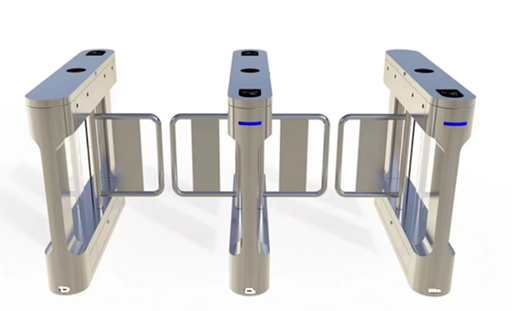 Slim Waist Swing Gate
304 stainless steel housing, single-side passage width ≤ 850 mm, size 1200 × 200 × 1000 mm, includes gate driver board and leakage circuit breaker, 4 pairs of infrared sensors as standard.
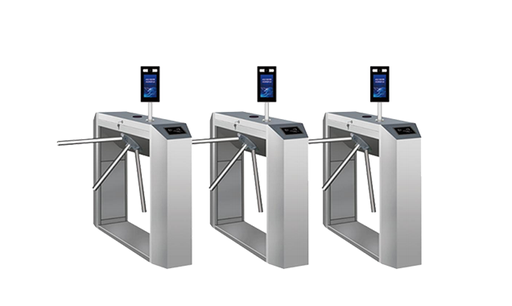 Tripod Turnstile (Standard)
The tripod turnstile (electric three-arm barrier) is the standard hardware for personnel access control lanes at construction site entrances. It uses a 304 stainless steel housing, copper-core motor and smart control board, with red/green lane indicator lights, and supports relay and other signal inputs. Paired with the 4S360 face recognition tablet (TR307L), it enables face-scan automatic opening, whitelist control and two-way entry/exit records, the standard configuration for real-name site entry management. On-site installation is provided to ensure correct installation and system integration.
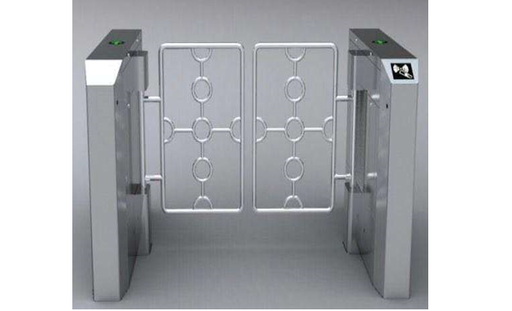 Upright Swing Gate
304 stainless steel housing, single-side passage width ≤ 850 mm, size 420 × 330 × 1000 mm, includes gate driver board and leakage circuit breaker.
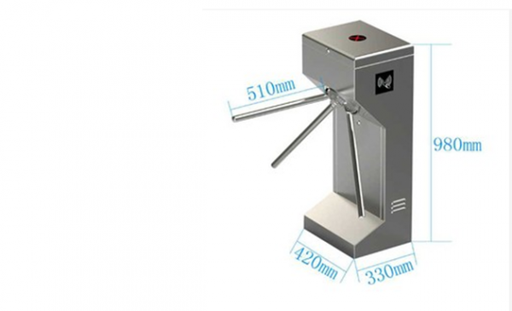 Upright Tripod Turnstile (Single Movement)
304 stainless steel housing, passage width ≤ 550 mm, size 420 × 330 × 980 mm, includes gate driver board, leakage circuit breaker and automatic opening on power failure.